

Hello my fellow gamedevs!
As soon as you go deeper and deeper into gamedev you will realice how much math and well, calculations in general are required to offer an interesting and enjoyable game feel. If you played Balatro (I strongly recommend this game) despite the main gameplay and rules of the game, every action feels like pure DOPAMINE.
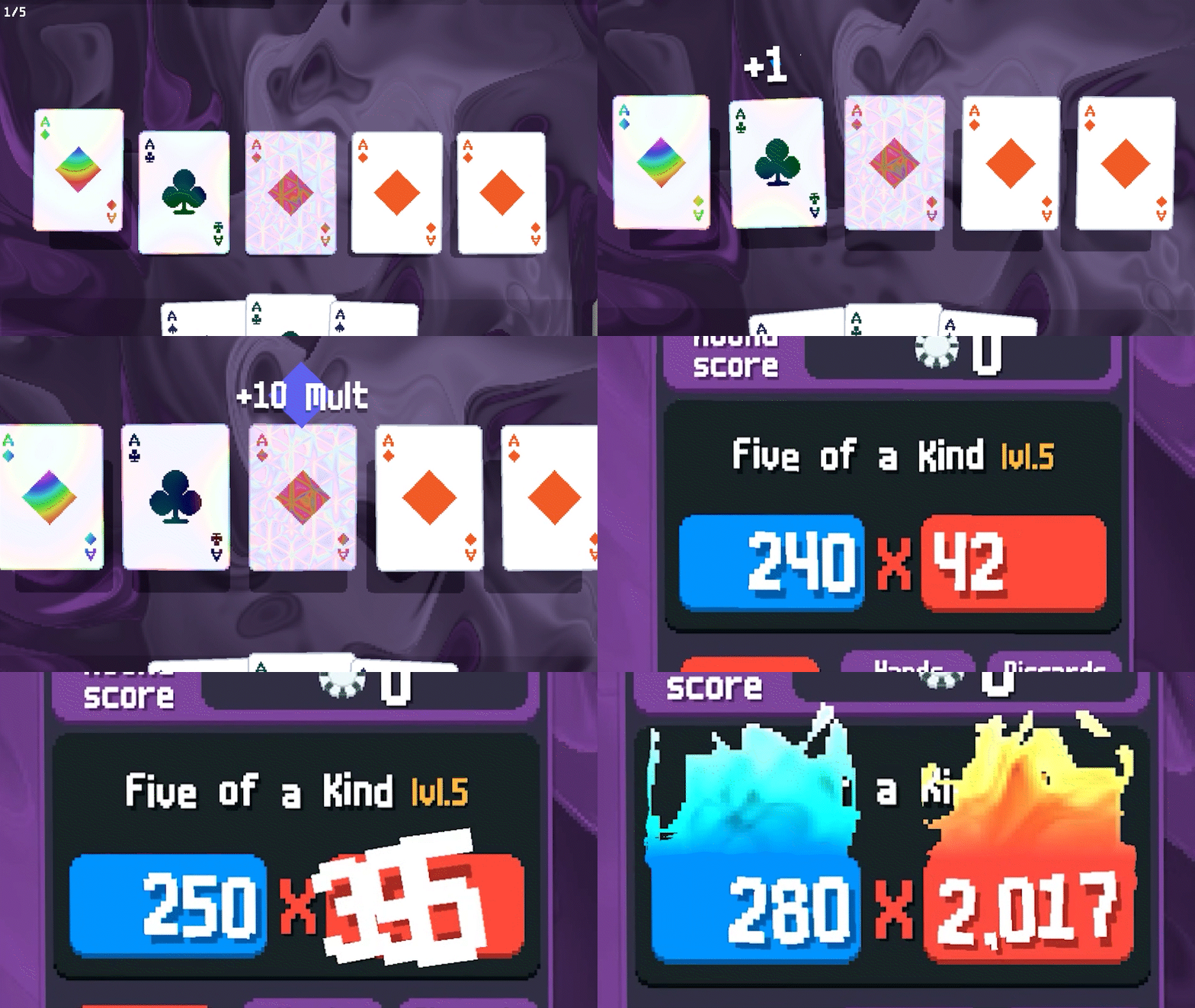
The movement of cards when you manipulate them
The score counter when the multipliers are insane
The animations when you open a new card pack
Behind all those operations, without looking at the code, I’m quite sure there are many math operation involved as it is the most efficient (and I would say organic) way to create human appealing experiences.
During the last weekend, I’ve participated on a Game Jam (Post will be published soon!) where the main mechanic was around a rope. This time I was working with two friends.
I usually tend to work at the aesthetic (Pixel Art), ideation and planning when I’m on a team, but this time I said to my mates; guys, let me implement the physics of the rope, they were a bit surprised, but I was super excited with that challenge and they accepted :)
Of course the engine that we decided to use for this 48 Hours Game Jam called MalagaJam 20 was no other than… PICO-8!
Excitement, Reality later Frustration
I’m not a programmer/engineer, those that already know me here, are probably aware of my professional side — Hint: It is technology related but nothing to do with gamedev.
For me the idea of dealing with intense math oriented was interesting at the same time than frustrating, and you know why? There is not much documentation online about designing a proper rope physics just in pure pseudo-code. Most of them are applied to Unity, Unreal and other big engines where you have the benefit of already built-in physics systems and nodes/objects (also called prefabs or scenes) prepared for it.
But PICO-8 is the hardcode way to learn gamedev, meaning you will implement everything on your own. You are luckily subscribed to Gamedevpills and I’m here to help you understand this concept.
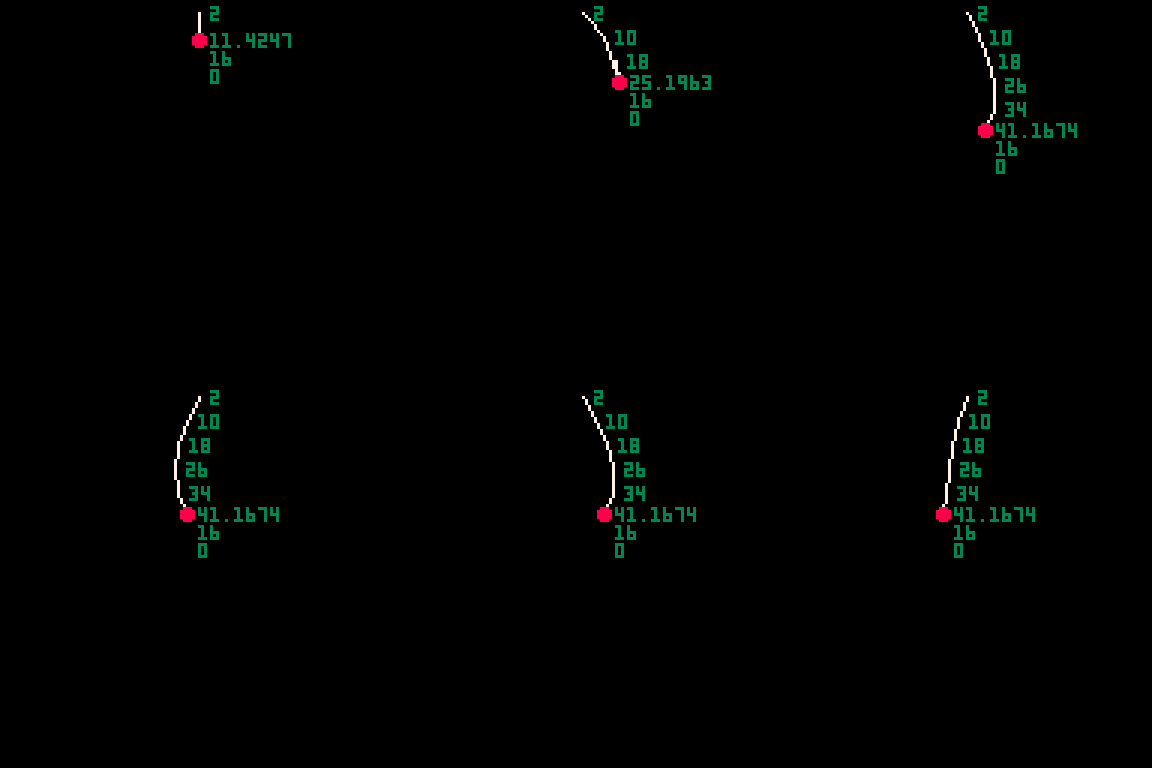
The Rope
Take a thin rope that you may have at home, now attach something at one of the extremes, the way the rope moves and react to your hand shaking when you hold it, is going to be quite different than when nothing is attached. That’s the kind of effect I was following during my ultimate groundbreaking rope system… 😅
Now is the moment of translate, real world objects into our virtual world, is when the fun actually start, some of my friends said that this is just black magic, let’s change that vision for you reading this article. If I can work on this, you can.
Context
The rope is needed for a character hanging at the end of the rope, think about rappel.
Rules
The rope movement offered to the player will be:
X axis. So left and right movement.
Y axis. Only down, to increase the length of the rope from top to bottom.
The length of the rope will be limited
The rope length can’t be shortened, meaning you can’t go up.
Now that we have the main rules of the rope defined, let’s go to the exciting part, it’s implementation.
Making-Of
To start with this exercise, first is key to understand which are the key component/s involved at the rope physics calculation, don’t worry, the positive thing I have for you is that there is only one; Nodes or Joints as you wish, let’s assign the easy word of node for this article.
Rope Structure
| function Rope:init() | |
| diff = 2 | |
| -- Create the initial nodes | |
| for i = 0, ROPE_INITIAL_SIZE do | |
| ropeNode = Body:new() | |
| ropeNode.spr = 18 | |
| if i == 0 then | |
| ropeNode.static = true | |
| else | |
| ropeNode.static = false | |
| end | |
| ropeNode.y = self.y + diff | |
| ropeNode.next = nil | |
| function ropeNode:draw() | |
| if self.next then | |
| line(self.x, self.y, self.next.x, self.next.y, 7) | |
| else | |
| add_character(self) | |
| end | |
| end | |
| diff += ROPE_SIZE_INC | |
| self.size += ROPE_SIZE_INC | |
| add(self.nodes, ropeNode) | |
| end | |
| -- Create the lines | |
| for i in pairs(self.nodes) do | |
| self.nodes[i].next = self.nodes[i + 1] | |
| end | |
| -- SET the next JOINT POSITION | |
| NEXT_JOINT = self.nodes[#self.nodes].y + ROPE_SIZE_INC | |
| diff = 0 | |
| end |
As you can see on above code snippet, at this function we initialize the rope with the minimal components required to be able to name it rope.
We iterate within a loop from number 0 to ROPE_INITIAL_SIZE in order to determine the initial length of our rope, meaning the number of nodes we are going to create at the beginning.
In this case that value is set to 1, so the rope will be quite short when it is generated, but that’s the main idea of our rappel based game, as the player will be able to extend the length of the rope during the gameplay.
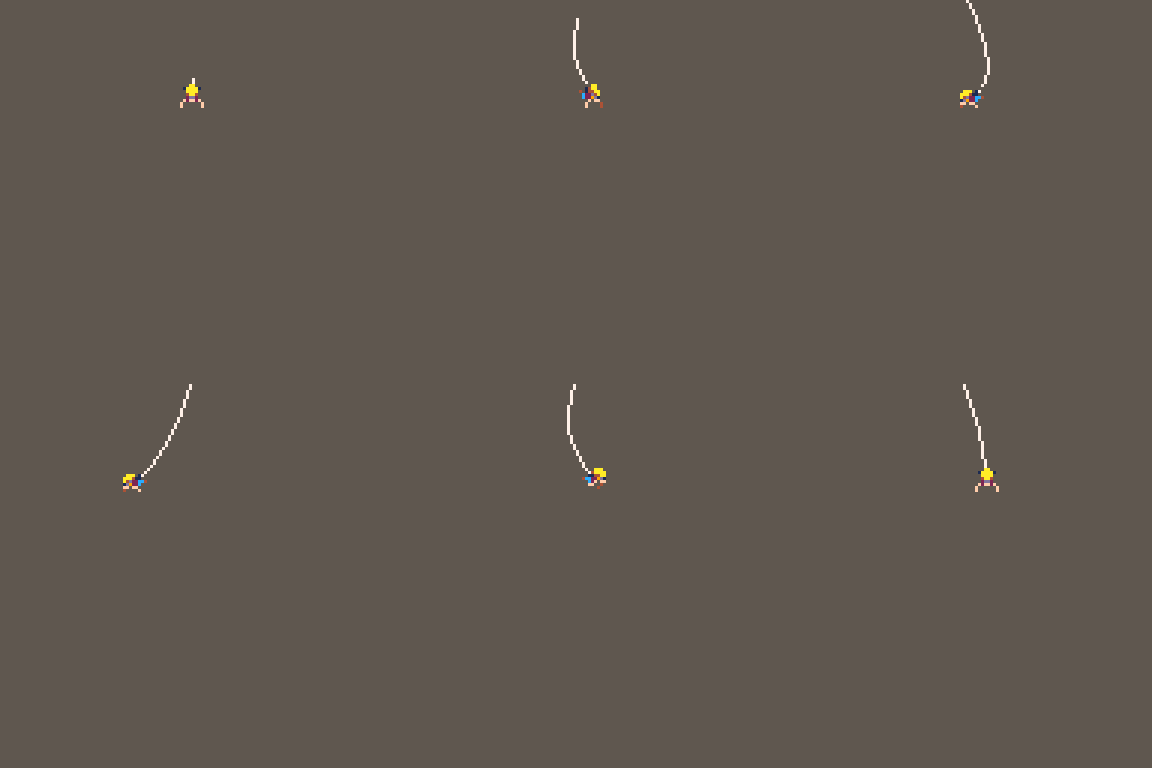
Another important factor of my rope implementation is the variable ropeNode.next each node is pointing to the next one in order to be able to draw a line() creating a visual rope, instead of independent nodes.
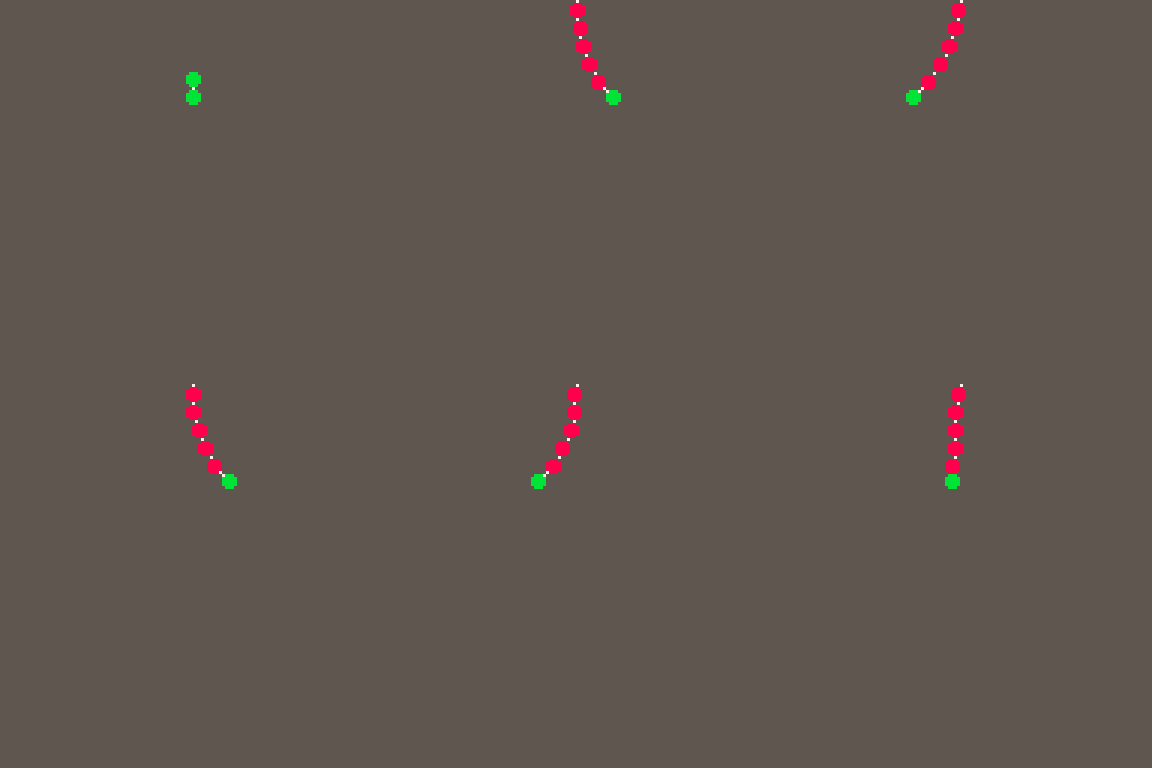
The red circles are each node I dinamically add when the player increase the initial size of the rope (pressing the down button) and the green circles are the initial elements mentioned at the Rope initialization function.
At this point you understood the skeleton of the rope and how the different elements are related between each other, but if you read the Init function you will quickly realice there is nothing implemented yet at movement, and you came here for physics, right? Let’s move forward
Rope Movement
Now, when the rope is alive, we need to make sure on each frame of the runtime we apply constrains between nodes so the movement of nodes affect the previous one to create that wave effect.
| function Rope:update() | |
| for i in pairs(self.nodes) do | |
| if self.nodes[i + 1] then | |
| -- Apply rope constrains | |
| apply_contrains(self.nodes[i], self.nodes[i + 1]) | |
| -- Sort linked nodes references | |
| self.nodes[i].next = self.nodes[i + 1] | |
| end | |
| --gravity(self.nodes[i]) | |
| -- IF NODE IS THE LAST ONE, APPLY GRAVITY when rope Y is shorter than LENGTH | |
| if #self.nodes == i then | |
| LAST_NODE = self.nodes[i] | |
| end | |
| end | |
| end |
At above snippet you can see two main functions called when the node affected is not the last one of the rope:
apply_contrains(self.nodes[i], self.nodes[i + 1])self.nodes[i].next = self.nodes[i + 1]
At the first function is when I make sure nodes are moved but based on constrains, so they can only move a certain number of pixels based on the movement of the next node.
The next function is when I make sure the link between nodes is up-to-date as soon as the player is adding new nodes (remember, those red circles)
At the end with LAST_NODE = self.nodes[i] I just want to make sure you can call the last node of the rope from everywhere at runtime, it is going to be our character so the rules applied to it are sligthly different (it have a collision layer) and that’s the reason to have a CONSTANT variable defined for it.
Wrapping Up
Physics and math in general are the most complicated topics during my short gamedev experience, but they are key and common components for any really good game published.
In case you liked this implementation and you want to have full access to the source code implementation of the rope, you can become a paid subscriber where you will be able to enjoy all my premium content:
Source code for PICO-8 Mechanics and systems
Industry Voice posts where I see apply game design lenses over succesfull indie studios
Discount for future videogames released by myself
Thank you for reading, don’t forget to share with your family and friends 💌