

My uncle introduced me to Pico-8, he is passionate about coding and engineering in general. (working as software engineer)
I clearly remember when I started playing with it… I was completely out of ideas to create games and my intentions were only around creating the next Super Metroid or Zelda demake.
Games that even at their release, already had iterations — I didn’t have the skills to create them nor I have now…
But this devlog is actually about how by being consistent, through iterations at small system will not only growth your skills but actually trigger ideas that can take you somewhere.
Pareto Principle - Focus on the 20% of efforts that produce 80% of results
Applying pareto principle to videogames, we can say when the core mechanic is polished and working our 20% already produced the 80% of our game. But we need to know the remaining 20% is going to require 80% of our efforts.
How it started?
First, I wanted to show you the resources (AKA Assets) I actually created during my gamedev sessions with PICO-8, this is the origin
My prototype has been in development with a completely different idea in mind, at the beginning, I wanted to create a Super Mario Maker demake for PICO-8, you can read my previous post about this topic.

There are two positive things I took from my previous approach, even though it was a completely different idea, during that process I created the following key elements:
UI/UX Components
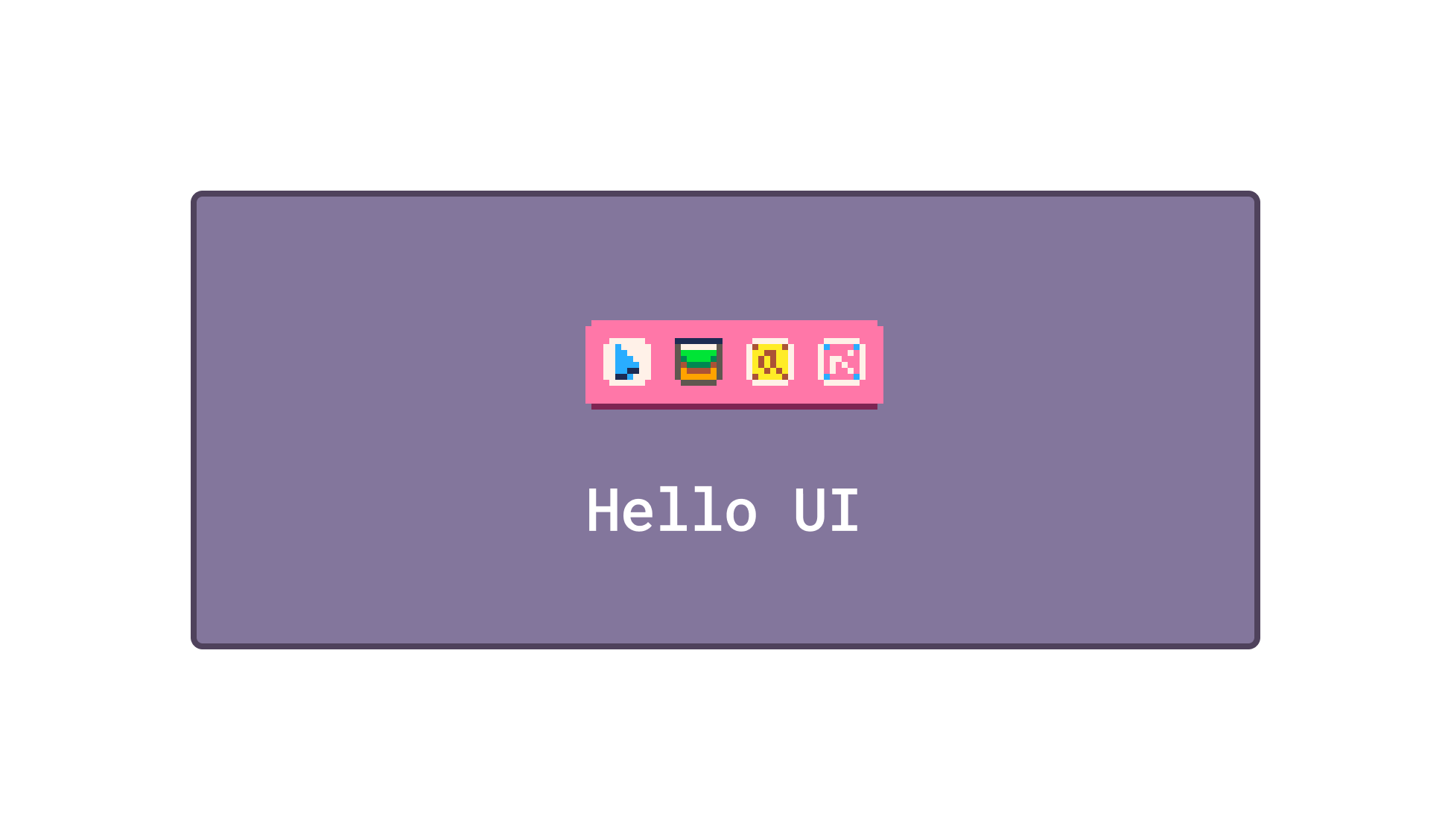
Level Designer System
Now I can design levels faster at runtime, which is quite cool to iterate and test your gameplay loop until you feel it is fun and engaging, on the other hand I have a small UI library to create menus/dialog or other components (PICO-8 doesn’t have a native implementation for UI, as Picotron have)
All this comes with a cost at our tiny memory space, my project already taking 4900 out of 8192 tokens.
But…as they say now. Don’t be mid - Be the main character
Ideation
My idea shifted from creating a classic 2D Platform with a level editor to an idle game where the player will be able to spawn enemies to kill that tiny human that you can see at the previous video. The human will be moving forward on a 2D Level eager to kill each enemy the step-up in the way.
It is still under development, but I think the loop could be fun after making efforts at the game feel.
The interesting part is what clicked on my mind to change the original idea…It was the aesthetics after few iterations with the game, originally my Super Pico Maker project had a simple static character and the level generator was based on a forest theme.
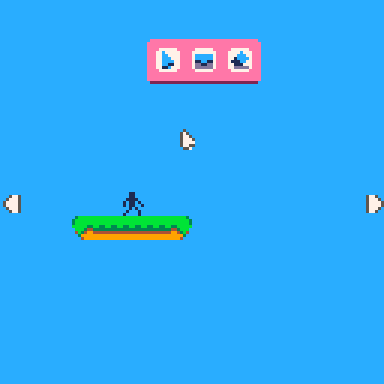
During some of my short gamedev sessions, I started doing some adjustment at the main character, the environment… and then I’ve just liked the mini-voxel (sorry for the voxel artist) style I created for my tiny game. How I end up with that approach? Just iterating over the initial idea.
State of the game
I’m now reading Game Programming Patterns from Robert Nystrom which is available to buy (or download a sample) here.
The first pattern that I’m applying to my next full game (yes, because I’m going to complete it) is called Command and the concept is quite simple when you see an example at code.
Let’s think about your first playable character on a platform 2D game. Your first intention will be to make it able to move at the screen, that require that we increase the X,Y position of a given sprite — cool.
Reading all the tutorials you can find about this topic, you will find something like this
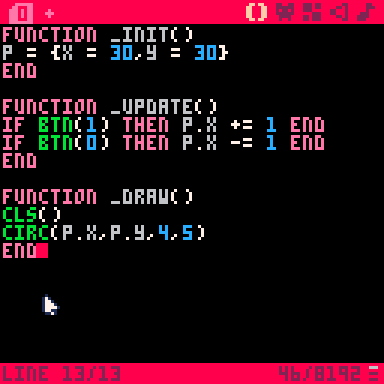
If player press left or right, then X position will be increased or decreased. This is perfectly simple and works quite well, but it can only continue working if the project stay with this size and never growth again… which is not our plan.
The Command pattern
This pattern is not only quite interesting for an idle game like the one I’m aiming to create, but for any kind of game at the end.
We can create a new tab (or lua file in case you followed my powerful gamedev environment) where we define the actions (verbs) that we want to define for our sprite. I’ve just defined:
move_right
move_left
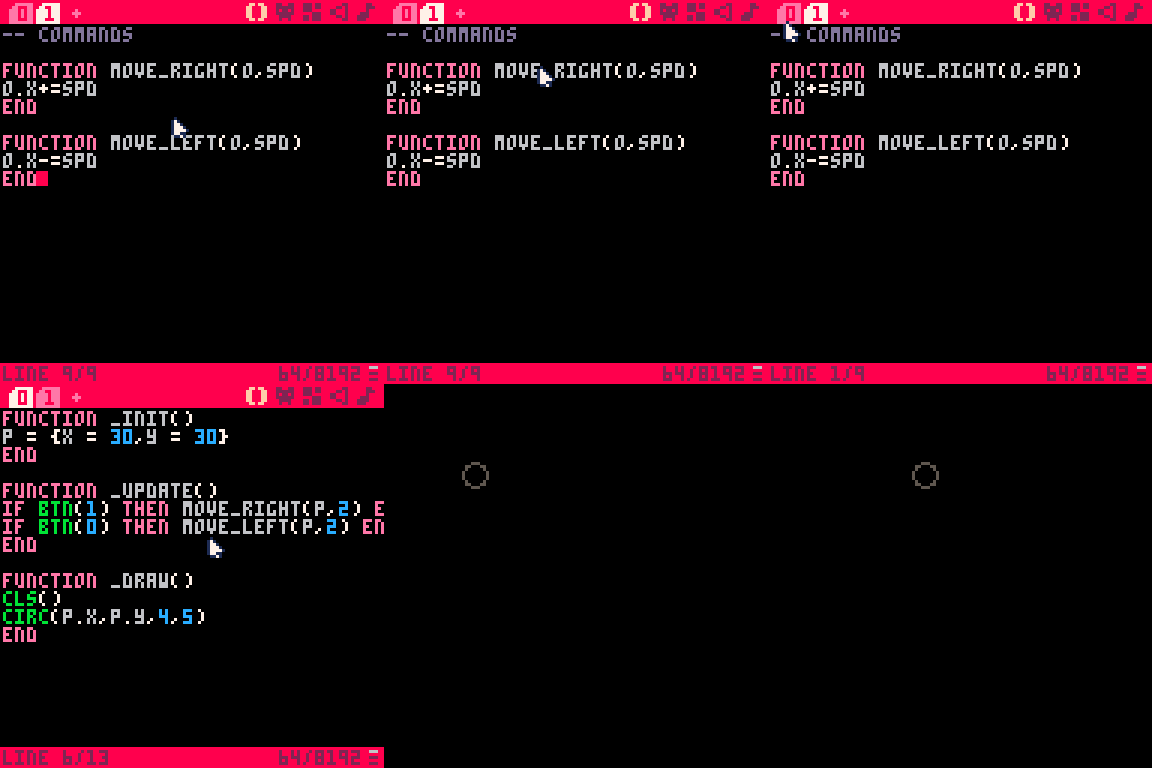
Now, at our main logic, instead of increasing the X coordinate when the player press the button, we just call our move_right or move_left functions, but José aren’t we doing the same thing?
Think about systems and the need to escalate the code in the future, in case you want to move a NPC or another object of the game, you can actually do it calling the move_right function, you will be saving tokens as you don’t need to repeat the same instructions over and over again. Let me show you:
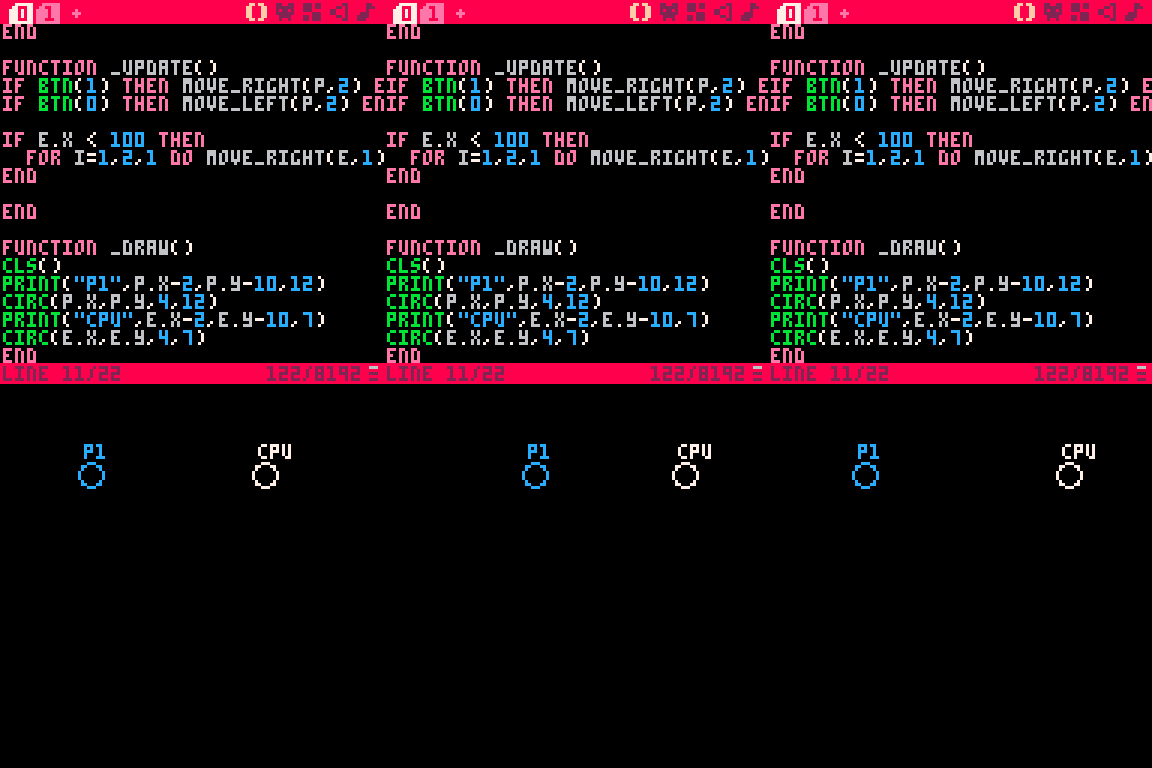
Now is when your creativity and inspiration join forces on your mind to create commands for other action like shoot, jump, swim… and any other that you could need on your tiny project.
I’m working now on building the human actions where he is going to move and attack an enemy as soon as you spawn it on the level, being the main mechanic of the game, I will reveal more details on my next devlog and actually show some gameplay of it.
I’m really excited with this project and I expect to take the best out of PICO-8 — Because we all know the potential it have, right?
Thank you for reading ❤️🎮